GO Launcher -Themes&Wallpapers
- 4.3
- Rating
- 100.00M
- Installs
- Free
- Price

 Analysis by App-foxy
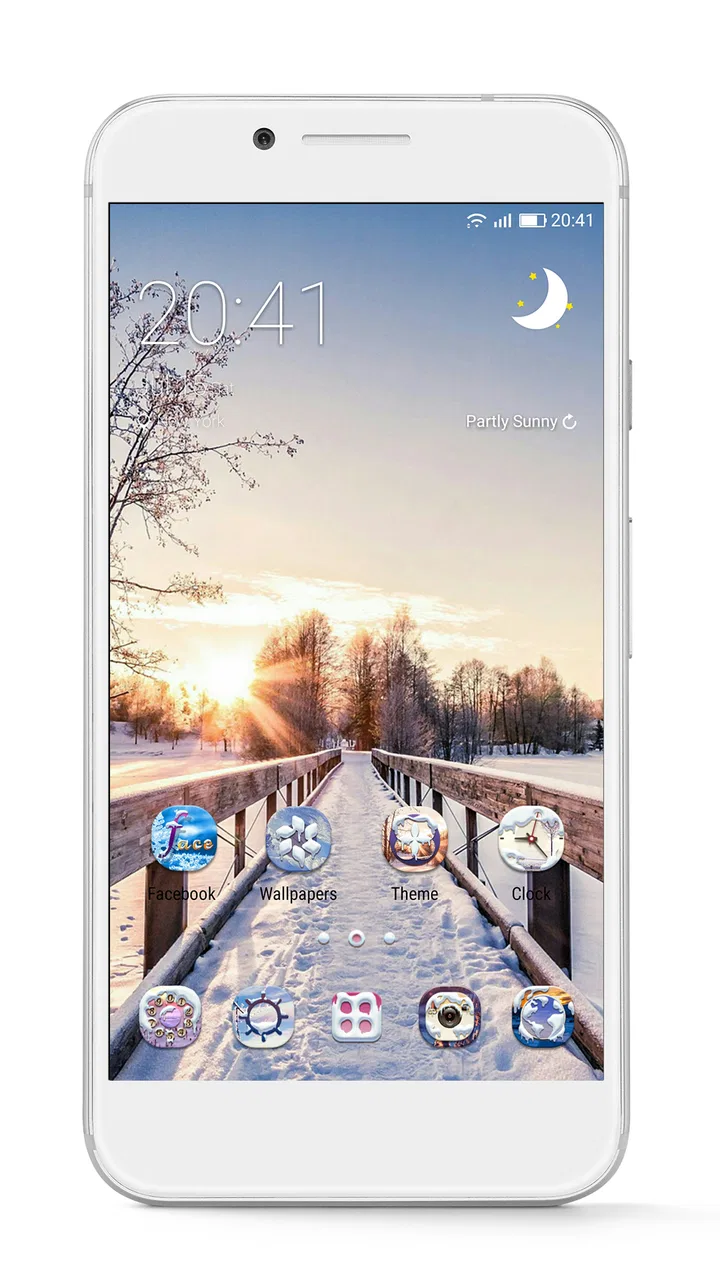
I spent time with GO Launcher -Themes&Wallpapers as a replacement home-screen app, and my first impression was that it is built for people who want their phone to feel noticeably different without changing the phone itself. It sits in the personalization category, comes from go live llc, and focuses on themes and wallpapers rather than trying to become an all-purpose utility. That narrow purpose is also its appeal: you can change the visual mood of the home screen, icons, and surrounding layout in one place instead of adjusting each element separately.
The app is free to install and is rated for Everyone, although optional purchases range from $0.99 to $109.99 per item. Its long presence on Android is reflected in its release date of January 22, 2011, while the current version is 3.42 and requires Android 7.0 or later. With an average rating of 4.3 from around 7.2 million ratings and more than 100 million installs, it is clearly not an obscure launcher experiment. Still, popularity does not remove the need to set it up carefully, especially if you are switching from the phone maker’s default home screen.
What the first setup feels like, and where people get stuck
The biggest adjustment is not downloading the app; it is deciding whether GO Launcher should become the phone’s default home experience. Android may ask you to choose a home app, and the wording can vary by device. If you select the launcher only once, or if the phone continues using the manufacturer’s home screen, a theme may appear to install correctly without becoming the view you see every time you press Home. That can make the app seem broken when the real issue is simply that another launcher is still active.
You May Also Like

 AccuWeather: Weather Radar
AccuWeather Review: A Quick, Clear Forecast for Everyday Decisions
For everyday plans, the best forecast is the one you can understand quickly. AccuWeather makes rain timing, radar, and local conditions easy to act on, with a few trade-offs.

 Hill Climb Racing
Why Hill Climb Racing Still Turns Crashes Into One More Run
A tiny car, a bumpy hill and one more upgrade: Hill Climb Racing keeps resurfacing because its simple chaos makes every near-miss feel personal.

 AliExpress - Shopping App
AliExpress Makes Global Shopping Feel Personal, but Shoppers Bear the Risk
AliExpress turns a global marketplace into a pocket-sized discovery engine. Its reach is useful, its shopping loop compelling, and its trade-offs easy to miss.

 Lords Mobile: Kingdom Wars
Lords Mobile Is a Kingdom-Building Routine, Not a Quick Match
A case-by-case verdict on the building, battles, device demands, and social commitments that make Lords Mobile rewarding for some players and exhausting for others.

 PDF Scanner app - TapScanner
TapScanner Makes Paperwork Easier to Capture, Check, and Share
TapScanner makes scanning with a phone feel less like a rescue operation and more like a dependable step in getting work done. Its capture tools are useful, though not flawless.

 Block Blast!
Block Blast! Shows How Much a Puzzle Game Can Leave Out
A quiet grid game shows why puzzle players increasingly value instant clarity, repeatable skill and low-pressure play—and where the genre still needs to catch up.
More From Our News Desk
View All News


I recommend treating the first launch as a setup session rather than immediately browsing themes. First, check which home app is currently selected. On many Android phones, this is found under the default-app or home-app settings, though the exact menu name differs between manufacturers. If GO Launcher is not selected there, test the Home button after choosing it. This simple check prevents a lot of unnecessary reinstalling.
Another common point of confusion is the difference between a wallpaper, a theme, and a launcher layout. A wallpaper changes the background, while a theme may also alter icons or other visual elements. The launcher itself controls the arrangement and behavior of the home screen. If you apply a background and expect every icon to change, the result may feel incomplete even though the selection worked as intended. I found it easier to change one visual layer at a time, confirm the result, and only then try another theme.
The sheer range of visual choices can also slow down the first session. A phone that previously had a plain grid suddenly has many possible styles competing for attention. Rather than downloading several options at once, I suggest choosing one theme that matches how you actually use the phone. A simple design with readable icons is more useful for daily work than an elaborate look that makes familiar apps harder to spot.
Checks that make the switch less frustrating
Before making the launcher your everyday home screen, I would check four things: whether the phone is running Android 7.0 or newer, whether the default home app has changed, whether the selected theme visibly applies, and whether your usual apps remain easy to reach. These are basic checks, but they separate a setup problem from a design preference very quickly.
It is also worth taking a moment to notice what has changed after applying a theme. Look at the dock, the first home page, the app list, and any folders you use often. If one area looks different while another does not, do not assume the installation failed. Themes can affect visual elements in different ways, and the phone’s own interface may continue to control certain screens.
The free starting point is useful because you can evaluate the launcher without committing money immediately. At the same time, optional purchases are part of the experience, so I would read each purchase screen carefully before confirming anything. A design that looks attractive in a preview may not be worth paying for if you only want a new background. The practical approach is to decide whether you need a complete visual change or just a small refresh.
One detail I appreciated is that the app works best when you approach it as a system for maintaining a consistent home screen, not as a one-time wallpaper picker. If you keep changing themes without checking your layout, you may end up with a phone that looks new but feels slower to navigate. I prefer to keep the first page reserved for the apps I use daily, then place less important shortcuts on later pages. That preserves muscle memory while still allowing the design to change.
A realistic morning scenario
Imagine that you are leaving for work and need your calendar, transit app, camera, and messages immediately. You install a bright theme the night before, but the next morning the icons are unfamiliar and the most-used shortcuts are no longer where your fingers expect them. The launcher has not necessarily failed; the visual makeover has interrupted your routine. In this situation, I would keep the theme but rebuild the first page around those four apps, using folders for everything else.
This is one of the more useful ways to judge the app. A launcher should make personalization enjoyable without making ordinary tasks feel like a treasure hunt. GO Launcher is a good fit if you are willing to spend a few minutes arranging the result. It is less appealing if you want to apply a design and have the phone remain exactly as familiar as before.
Recovering a layout when something looks wrong
If a theme seems to disappear, I would first return to the theme area and check whether the selection is still active. Then I would press Home, open a different screen, and return to the first page. This basic refresh can distinguish a delayed visual update from a genuine setup issue. I would avoid changing several settings at the same time because it becomes difficult to tell which action fixed the problem.
When the phone returns to its old home screen after a restart, the first thing to inspect is the default home-app selection again. Some devices are particularly persistent about their own launcher, and a system update or device setting can bring it back into focus. The useful recovery path is to select GO Launcher again, test the Home button, and only consider reinstalling if the selection does not hold.
If icons or shortcuts do not appear where expected, I would check the pages and folders before assuming they were deleted. A visual change can make an existing shortcut easy to overlook, especially when icon shapes or colors are different. Search through the app list and compare it with the home pages. Rebuilding only the missing shortcuts is usually less disruptive than resetting the entire arrangement.
There is a trade-off here between experimentation and stability. The more often you replace a theme, the more likely you are to spend time re-learning the screen. I suggest keeping a simple arrangement as a baseline: a small group of essential apps on the first page, a communication folder, and a second page for less frequent tools. That structure gives you something familiar to return to if a new design becomes inconvenient.
Another practical recovery habit is to change one category at a time. Try a wallpaper first, then icons or a full theme, and finally adjust the layout if needed. This workflow makes it easier to identify whether the issue is visual, organizational, or related to the active home app. It also helps you avoid paying for a design simply because the first free experiment was difficult to interpret.
When the launcher is not actually the cause
Not every home-screen problem comes from GO Launcher. If the whole phone feels slow, several apps may be competing for memory, the device may be low on storage, or the problem may come from the phone’s system software. A launcher can make delays more noticeable because it is the screen you see often, but that does not prove it created the underlying issue.
I would test the phone after closing unusually demanding apps and checking available storage. If other screens, menus, or unrelated apps also respond slowly, the sensible next step is general Android troubleshooting rather than repeatedly changing themes. Restarting the device can also clarify whether the problem is temporary. If only the home screen behaves strangely while the rest of the phone works normally, then the launcher becomes a more likely suspect.
Battery concerns deserve the same careful approach. A new theme may appear at the same time as a battery drop, but timing alone is not enough to establish a cause. Compare the phone’s behavior after returning to a simple visual setup and observe whether the wider device still drains quickly. If battery use remains poor across all screens, investigate system settings and other recent changes instead of blaming the launcher automatically.
Notifications can be another source of confusion. If an alert does not appear as expected, check the app that generated it and the phone’s notification settings, not only the home screen. The launcher may change how you reach notifications, but the originating app and Android settings still matter. This distinction is important because reinstalling a home app will not repair a disabled notification channel.
For people who depend on accessibility settings, gesture navigation, or a manufacturer-specific home-screen feature, compatibility should be judged on the actual phone rather than on appearance alone. A launcher can look excellent and still be the wrong choice if it interferes with a workflow you rely on. I would test one full day of normal use before moving every shortcut and committing to a new layout.
How it compares with the usual alternatives
The default launcher that comes with a phone is usually the easiest choice for predictable behavior and close integration with the manufacturer’s interface. It is the better option for someone who dislikes setup or wants every existing shortcut to remain where it was. GO Launcher offers a stronger visual identity, so it makes more sense for someone who sees the home screen as part of their personal style.
Compared with a minimalist launcher, GO Launcher leans toward variety and visual customization rather than reducing the phone to only essential actions. A minimalist alternative may be better for someone trying to limit distractions or simplify navigation. With this app, the responsibility is on you to keep the design organized. Its flexibility is useful, but it can also encourage unnecessary tweaking.
It also differs from using a dedicated wallpaper app alongside the default launcher. That combination may be enough if all you want is a new background. GO Launcher becomes more worthwhile when you want the wallpaper and the broader home-screen appearance to feel coordinated. If you only change backgrounds once every few months, installing a full launcher may add more adjustment than value.
Privacy-conscious users should make their own comfort decision before adopting any third-party home screen. A launcher sits in a central position because it presents the apps and shortcuts you use constantly. I would read the Android permission prompts and the relevant store disclosures during installation, then decide whether the customization benefit justifies using a non-default home app. That is a personal trade-off, not a reason to assume the app is unsuitable for everyone.
Who will enjoy it, and who should skip it
I would recommend GO Launcher to Android users who enjoy changing the look of their phone, want themes and wallpapers managed around the home screen, and do not mind spending time arranging shortcuts. It is especially appealing if the manufacturer’s default design feels plain or if you want a stronger visual change than a wallpaper alone can provide.
I would be more cautious recommending it to someone who needs a completely unchanged workflow, uses a highly specialized manufacturer feature, or becomes frustrated when a familiar icon moves. It is also not the most sensible choice if your only goal is to set one photograph as a background. In that case, the default launcher may be simpler and less disruptive.
The app’s Everyone age rating and free entry point make it approachable for a broad audience, but the optional purchases mean families should still pay attention during browsing. I would start with the free customization choices, live with the result, and only then consider an item that solves a specific visual need. Buying several designs before knowing how the launcher fits your routine is an easy way to spend more than intended.
My practical verdict after using it
My overall view is positive, with one important condition: GO Launcher works best when personalization is something you actively enjoy. It gives an Android phone a more deliberate look and makes themes and wallpapers feel like part of one home-screen project rather than isolated changes. The app’s long history, broad adoption, and 4.3 average rating suggest that many users find that balance worthwhile.
For me, the key lesson is to set it up slowly. Choose the home app, apply one design, confirm the Home button behaves correctly, and rebuild the first page around real daily habits. If something goes wrong, check the active launcher, the location of shortcuts, and the phone’s general performance before assuming the app is responsible. Those checks resolve more practical frustration than repeatedly reinstalling it.
The best reason to choose GO Launcher is control over the phone’s visual personality without giving up the familiar Android app ecosystem. The main cost is not the free installation; it is the time and attention needed to keep that freedom from becoming clutter. If you want a stylish, changeable home screen and are comfortable making a few setup decisions, I think it is worth trying. If you want invisible software that never asks you to rethink your layout, stay with the default launcher instead.
In short, this is a personalization app I would recommend to a friend who enjoys making a phone feel like their own. I would tell that friend to check Android compatibility, test the default-home setting, begin with a restrained layout, and treat paid themes as optional rather than necessary. Used that way, GO Launcher -Themes&Wallpapers is a flexible visual refresh rather than another source of daily friction.
FAQs for GO Launcher -Themes&Wallpapers
01What is GO Launcher and how does it improve my smartphone experience?
GO Launcher is a customizable home screen replacement app for Android devices. It offers a wide range of themes, wallpapers, and widgets to enhance your device's aesthetics and functionality. With its intuitive interface and smooth animations, GO Launcher allows users to personalize their phone's appearance and improve usability through gesture controls and app organization features.
02Are there any in-app purchases or subscriptions in GO Launcher?
Yes, GO Launcher offers in-app purchases for premium themes, wallpapers, and additional features. While the app is free to download, some of the more advanced customization options and ad-free experiences require purchasing a subscription or one-time purchases. This allows users to access exclusive content and enhance their launcher experience.
03How does GO Launcher affect my device's performance and battery life?
GO Launcher is designed to be lightweight and efficient, but the impact on performance and battery life can vary depending on your device. It typically consumes more resources than a stock launcher due to its animations and customizations. Users with older or lower-spec devices may notice a slight decrease in performance or battery life, so it's recommended to monitor usage and adjust settings accordingly.
04Can I use GO Launcher on devices other than Android?
GO Launcher is specifically designed for Android devices and is not available for iOS or other operating systems. It takes advantage of Android's open environment to offer extensive customization options. For iOS users, similar apps with limited customization capabilities are available, but they do not offer the same level of personalization as GO Launcher.
05Is it easy to revert back to my original launcher after using GO Launcher?
Yes, reverting back to your original launcher after using GO Launcher is straightforward. Simply go to your device's settings, navigate to the 'Apps' section, and select 'Default apps.' From there, choose your original launcher as the default home screen app. You can also uninstall GO Launcher if you wish to remove it entirely. This process ensures you can easily switch back if needed.
Pros
- User-friendly interface makes navigation easy.
- Extensive theme library for customization.
- Offers unique 3D effects and transitions.
- Frequent updates with new themes and features.
- Supports gesture controls for quick access.
Cons
- Contains in-app ads that can be intrusive.
- Some themes require additional purchases.
- Can consume more battery than default launchers.
- Occasional performance lags on older devices.
- Limited free features compared to premium.

GO Launcher -Themes&Wallpapers
Gallery